
Install Adguri Education on your device
Get one-tap access to your classes, progress, and messages — just like a native app.
Checking your device…
One moment while we detect your browser.
Android (Chrome)
- Open sikainepal.lovable.app in Chrome.
- Tap the menu (three dots) in the top right.
- Choose 'Add to Home screen' and confirm.
iPhone / iPad (Safari)
Safari only — Chrome, Firefox and Edge on iOS cannot add apps to the Home Screen.
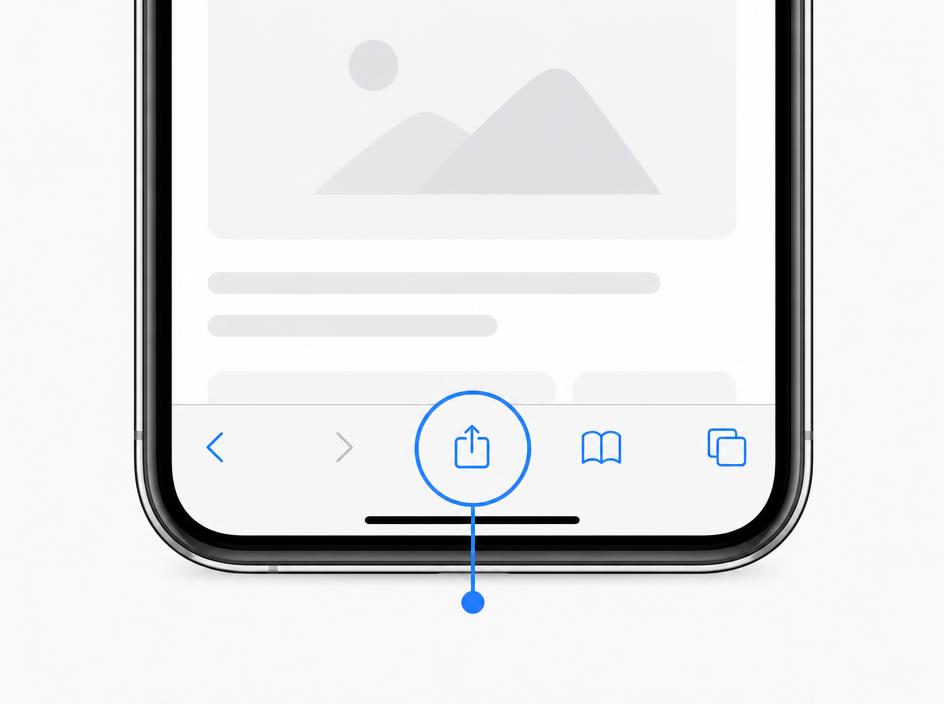
- Open the site in Safari, then tap the Share button (the square with an arrow) — at the bottom of the screen on iPhone, top right on iPad.
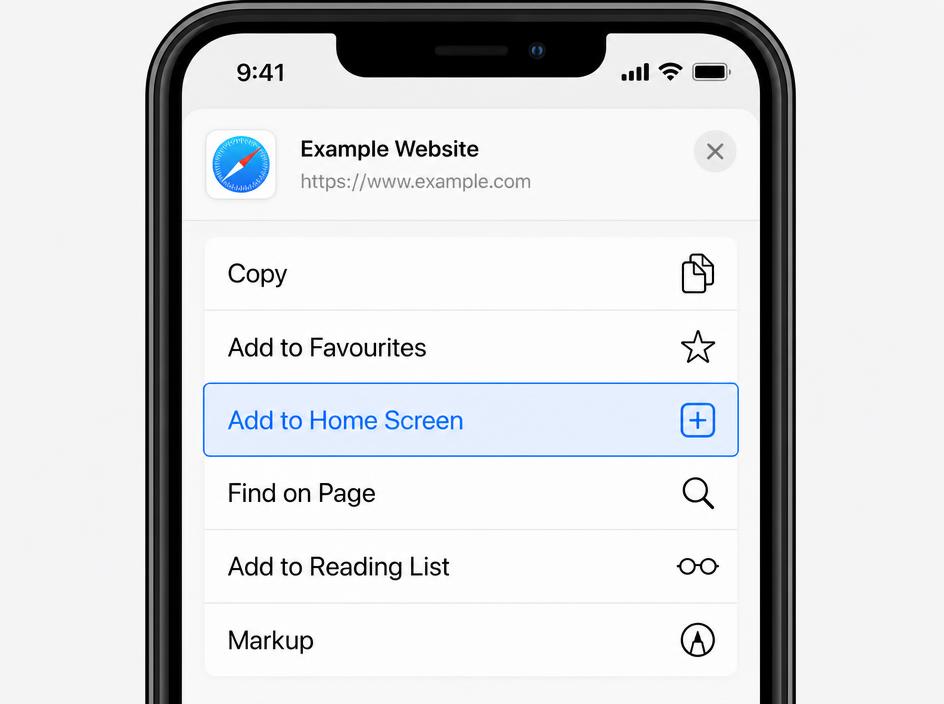
- Scroll down the Share sheet and tap “Add to Home Screen” (in Nepali iOS: “होम स्क्रिनमा थप्नुहोस्”).
- Name it “Adguri Education” and tap Add (top right). The icon appears on your Home Screen.
Install not working? Common fixes
“Add to Home screen” is missing (no HTTPS)
Installing only works on a secure https:// address. If the address bar shows “Not secure” or http://, retype the address with https:// at the start and reload.
Unsupported browser
On iPhone/iPad use Safari — Chrome, Firefox and Edge cannot install apps there. On Android use Chrome, Edge or Samsung Internet. Private/Incognito windows also block install.
Wrong domain or preview link
Editor preview links and links opened inside Facebook, Instagram or Messenger cannot install. Open the real site address directly in your browser — tap the “…” menu and choose “Open in browser” first.
Nothing happens when I tap Install
The app may already be installed — check your home screen or app drawer. Otherwise clear the site data for this site, close and reopen the browser, then try again.
Why install the app?
- Faster loading with cached pages
- Full-screen app experience
- Quick access from your home screen